Mobile App: Ferguson Showroom Locations Near Me

For FY22 Q1 we wanted to add showroom locations and provide users the option to buy products through the app and pickup in store. To connect the digital and physical spaces and provide an ominchannel experience, we believe that utilizing our app with a smartphone that most customers will have in their pocket will allow us to get better traction.

We want to have actionable mockups that lineup with inventory and availability. We will measure success through user testing our mockups and collecting the analytical data post launch. We will also ask for user feedback post launch.

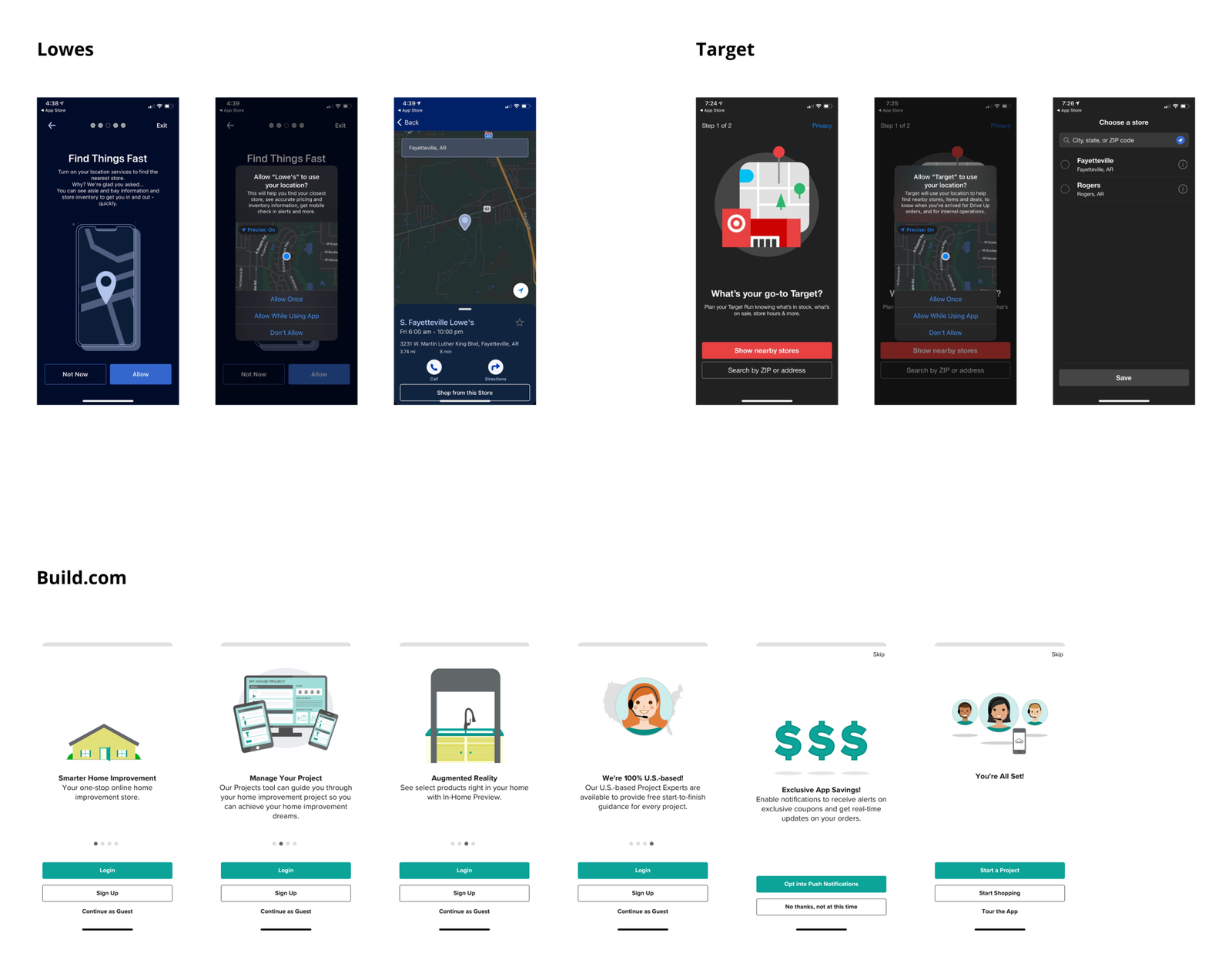
Onboarding - Quick Comparison

We conducted a brief comparison of onboarding proccess in various e-commerce mobile applications. In contrast to competitors, whose onboarding processes proved to be notably concise, simple and a few steps the onboarding process of the Build with Ferguson mobile app was characterized by its considerable length and arduous nature.


What do other apps do for locations onboarding?

• Provide a visual image

• Ask for user’s location permission

• Show nearby stores or search with zipcode.


What should Build with Ferguson do?

• Shorten onboarding flow

• Ask for user’s location permission

• Show nearby stores or search with zipcode
Research

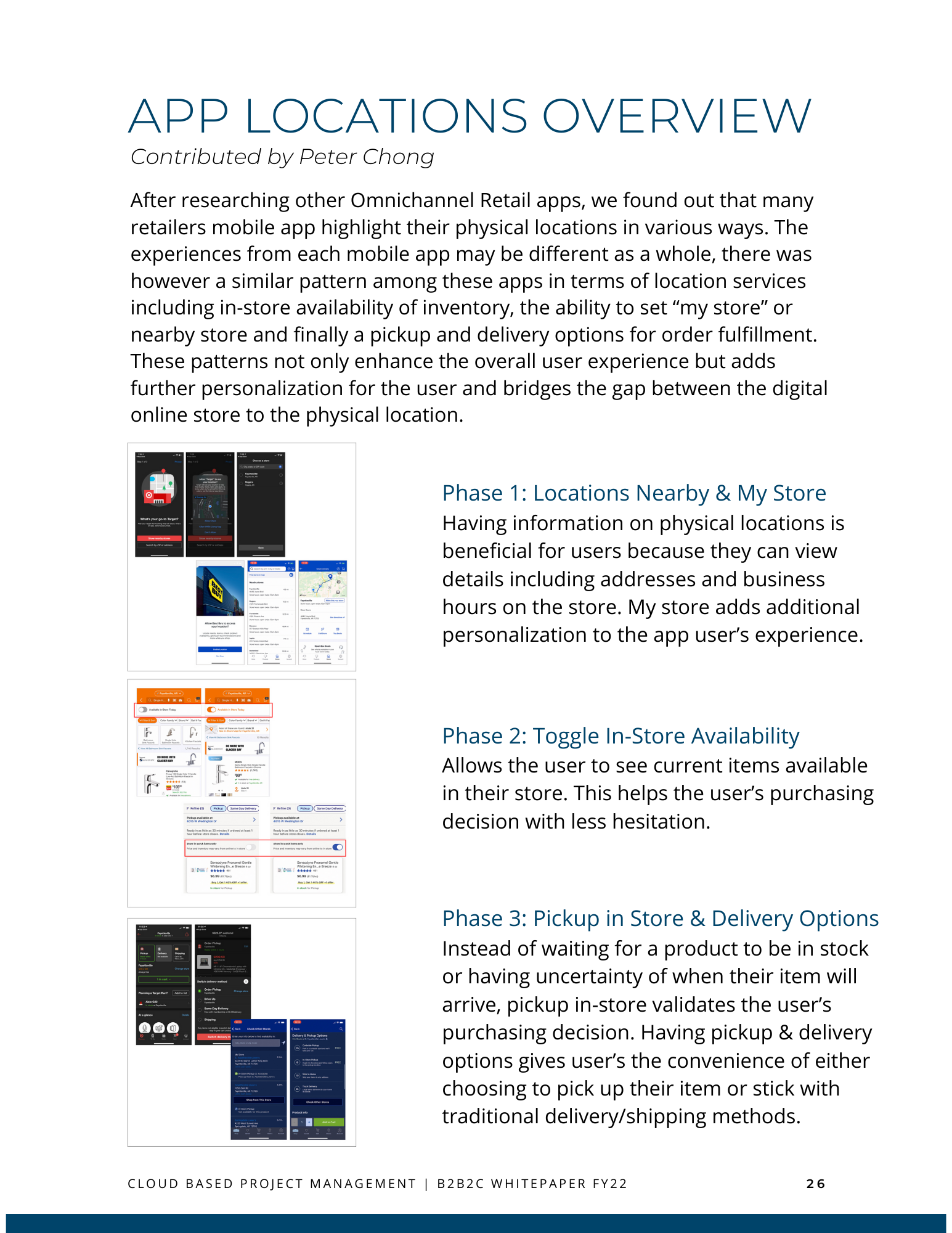
We engaged in comprehensive research with the objective of enhancing cart completion rates. This involved a meticulous comparison of our existing cart experience with that of our competitors and prominent e-commerce entities. Additionally, we benchmarked prevailing industry-standard UX practices through the esteemed Baymard Institute to refine and elevate our cart experience. Facilitating our investigative efforts, we meticulously constructed a Comparative Analysis chart to systematically compare the distinctive cart features across various brands.

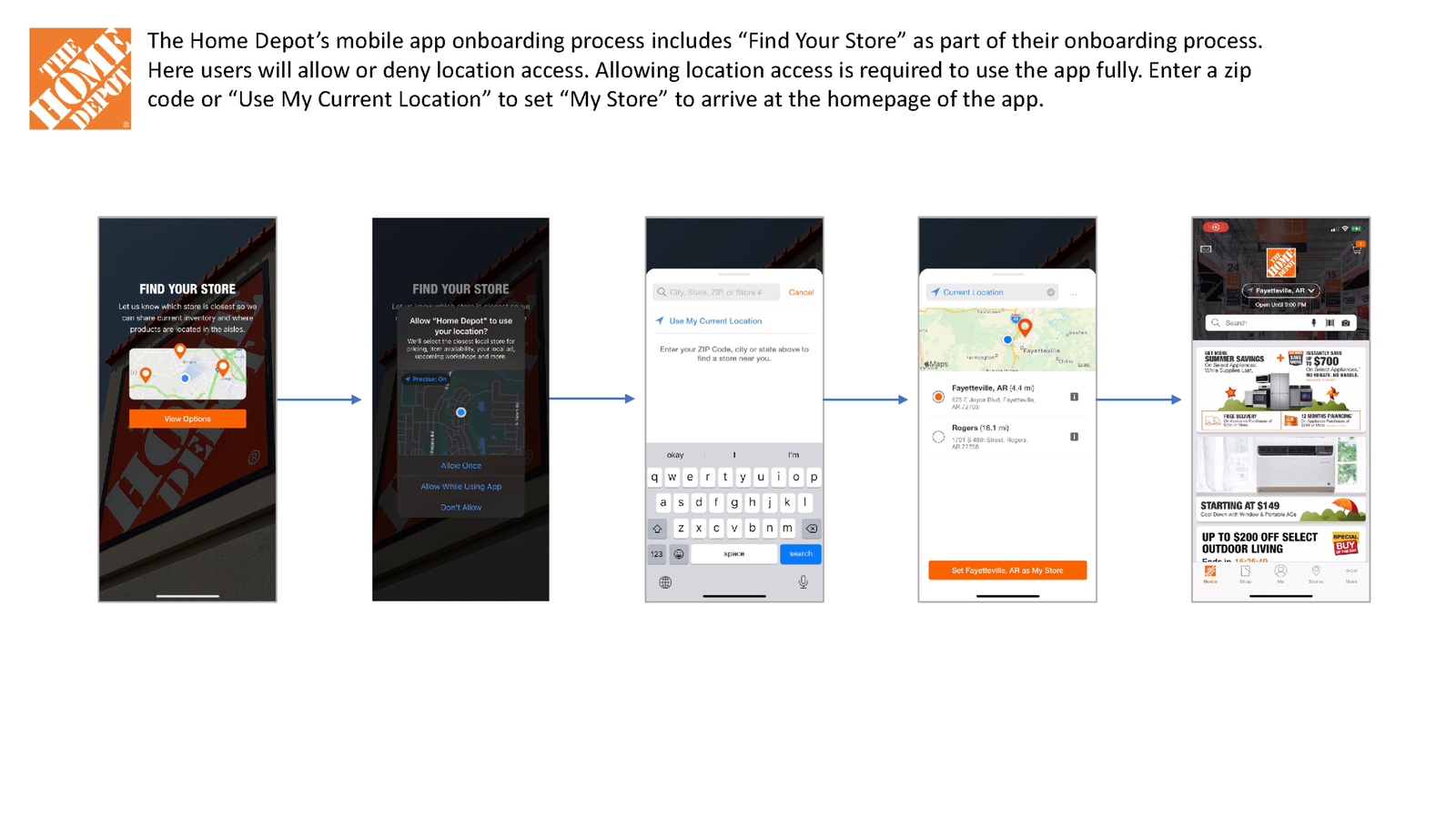
Part One - Onboarding

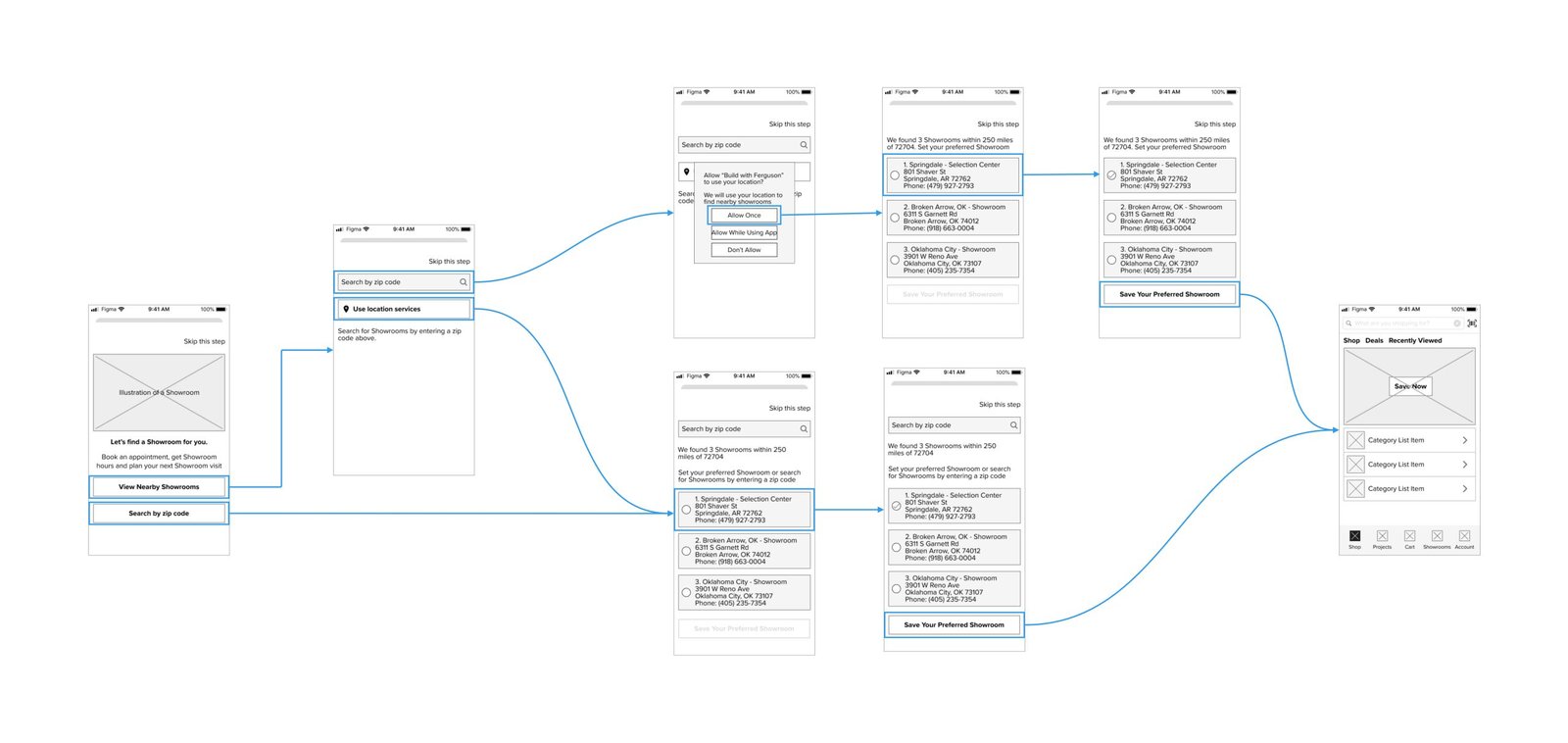
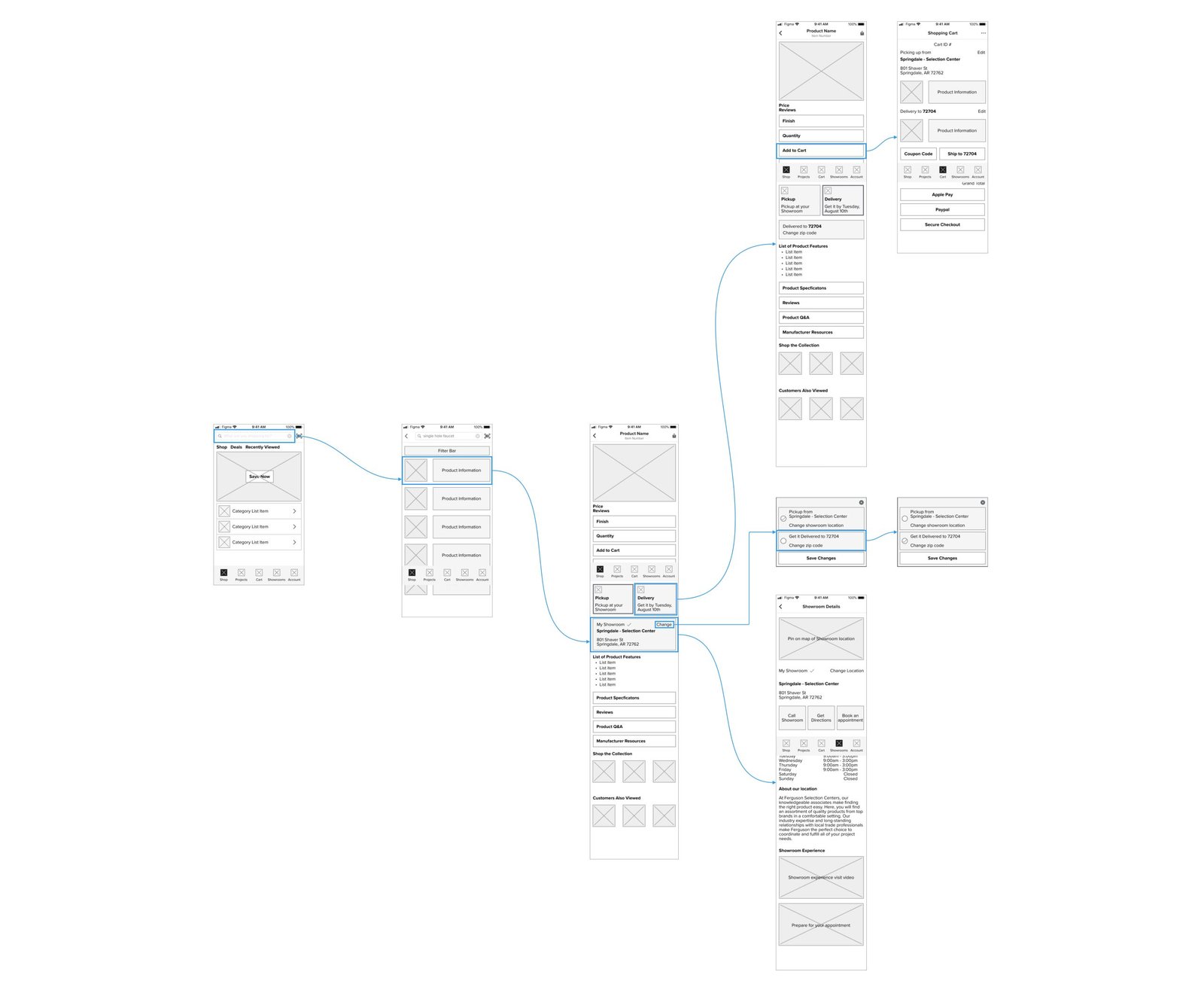
As part of the onboarding process, we will ask for access to the user’s location. The reason is to provide the user with a localized experience while using the mobile app. Additionally users will be able to select a nearby showroom or search for showrooms via zip code and assign themselves a showroom location.

Prototype:

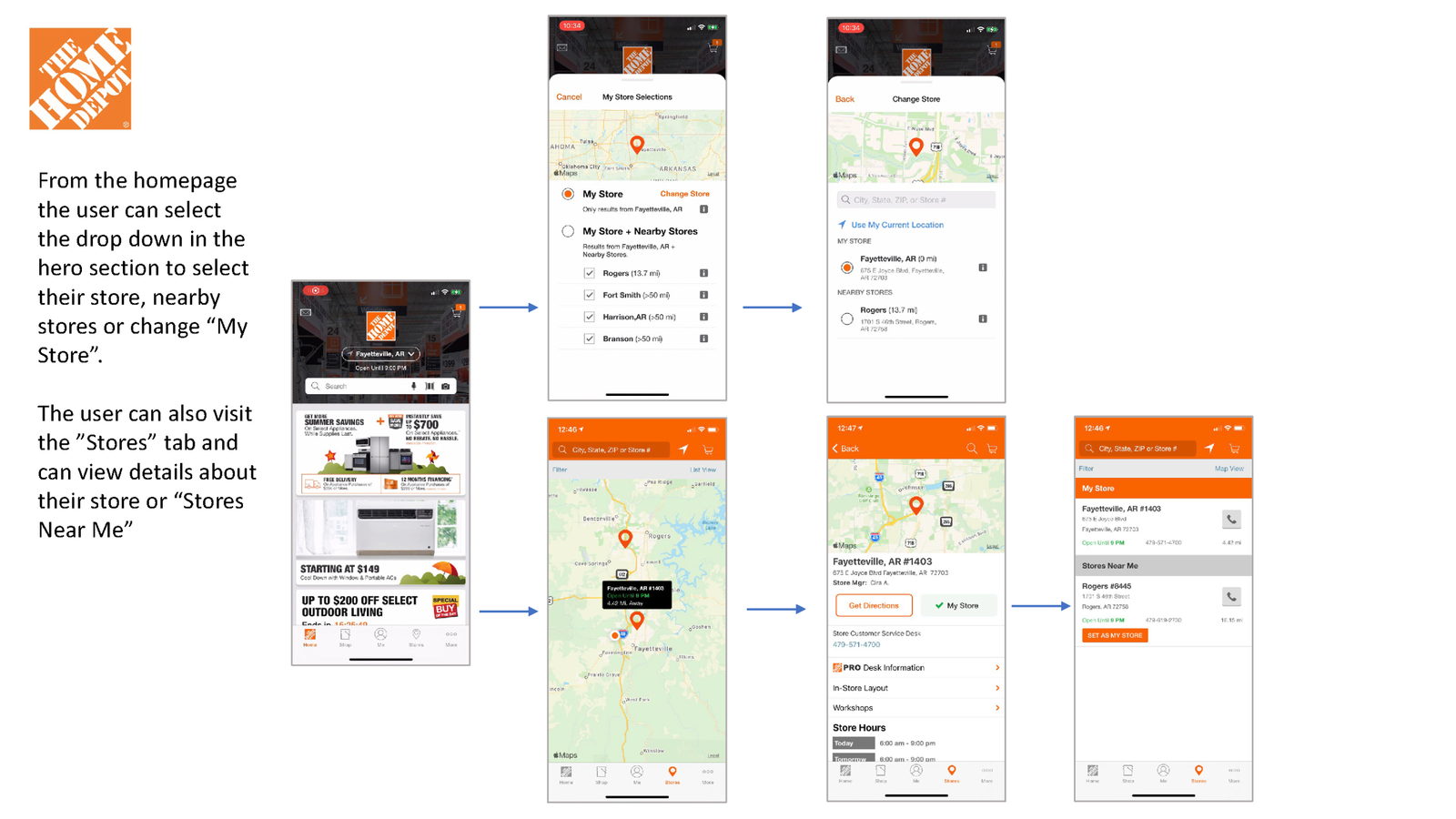
Part Two- Find a Showroom Nearby

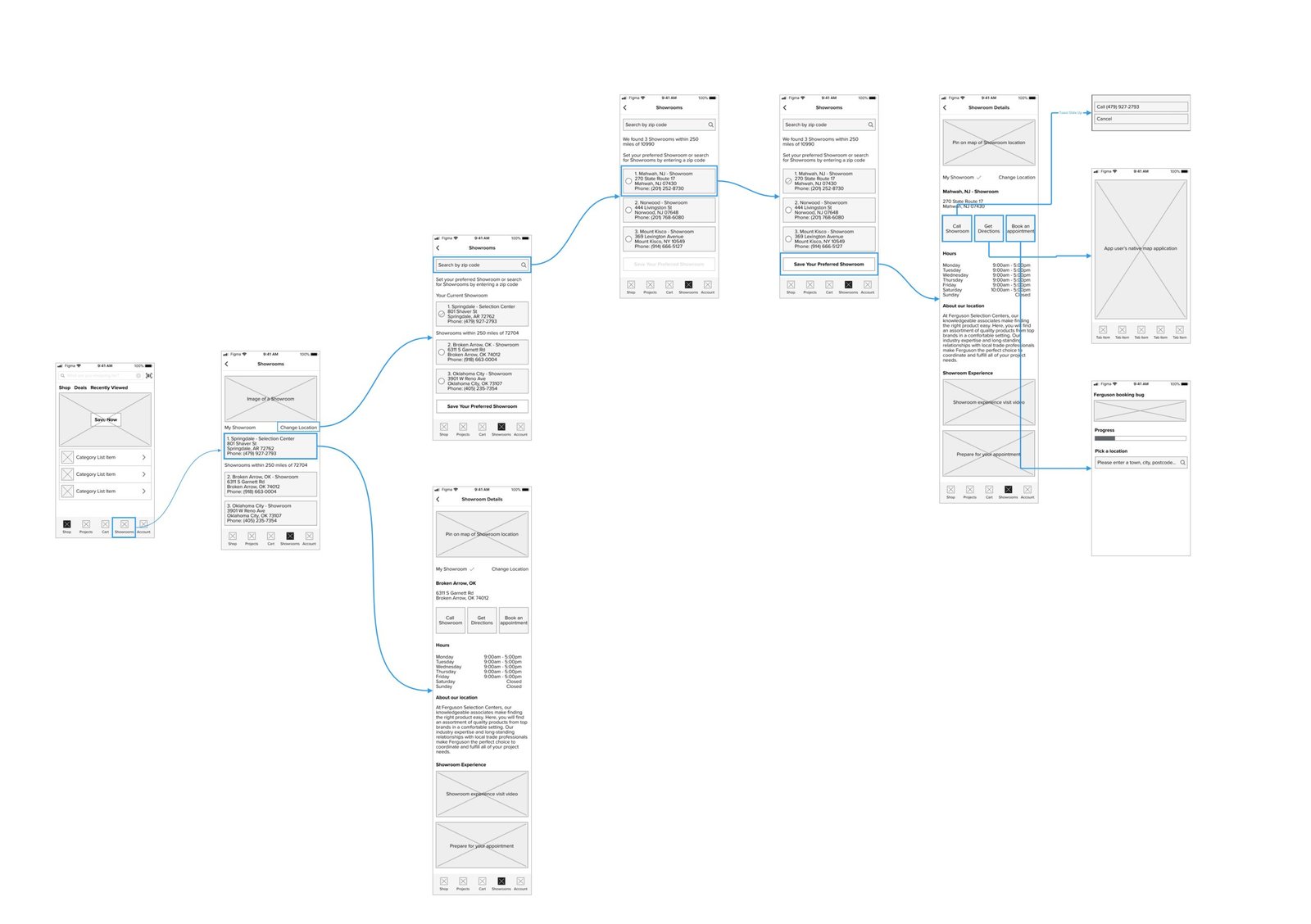
Once on homepage, users can browse the Showrooms tab. Visiting the Showroom Tab the user will be able to view their assigned showroom. Having information on physical locations is beneficial for users because they can view details including addresses and business hours on the store. My store adds additional personalization to the app user’s experience.

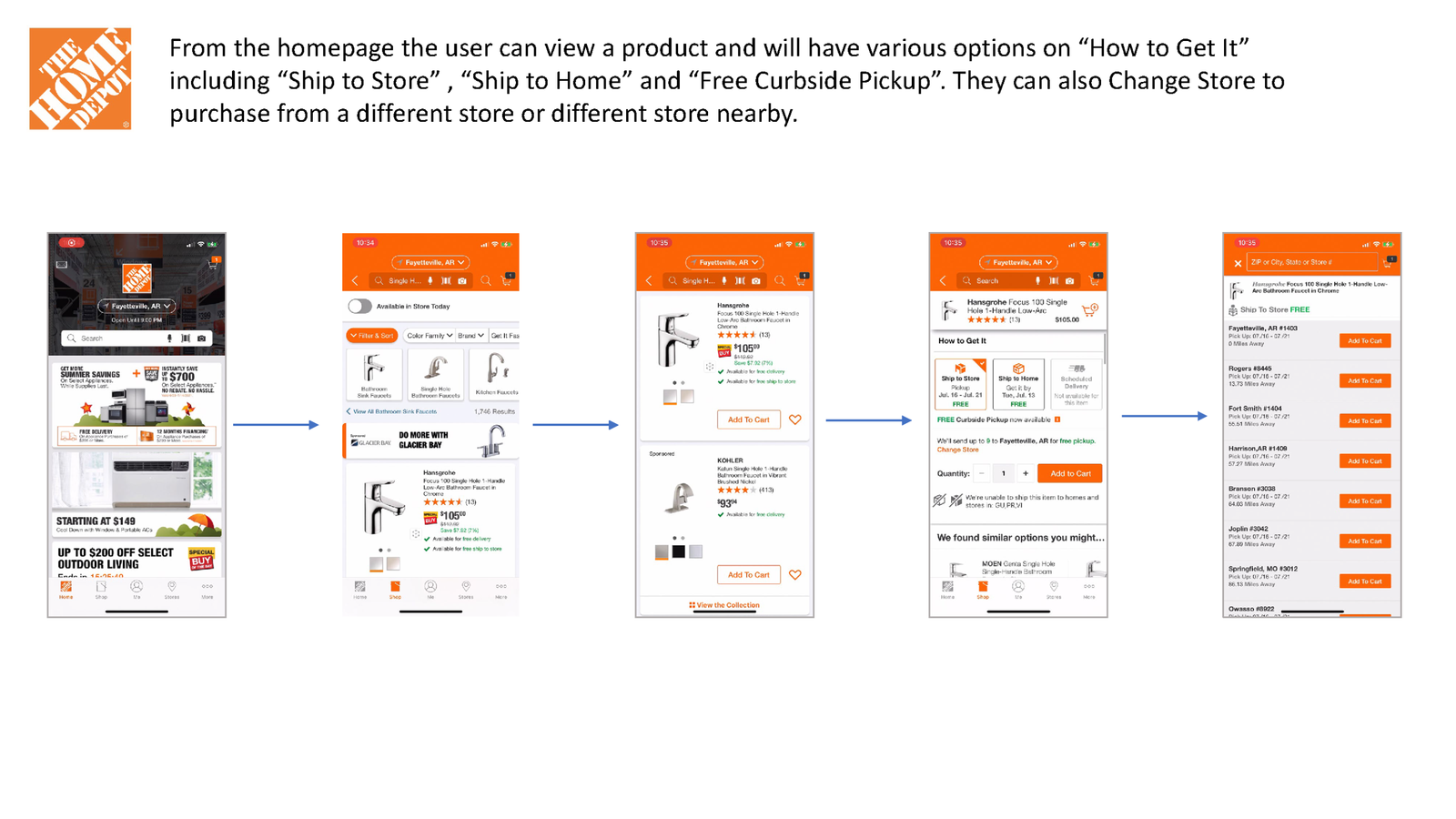
Part Three - BOPIS (Buy Online, Pickup in Store)

Instead of waiting for a product to be in stock or having uncertainty of when their item will arrive, pickup in-store validates the user’s purchasing decision. Having pickup & delivery options gives user’s the convenience of either choosing to pick up their item or stick with traditional delivery/shipping methods.