Misc. Billing Dashboard for EmployBridge Field Colleagues
The miscellaneous billing dashboard would cater to the needs of Field Colleagues, Recruiters and Management teams allowing them to efficiently add and process new miscellaneous billing items including direct hire fees, training expentiures, insurance costs, health & pension and other fees to their clients.
Part One
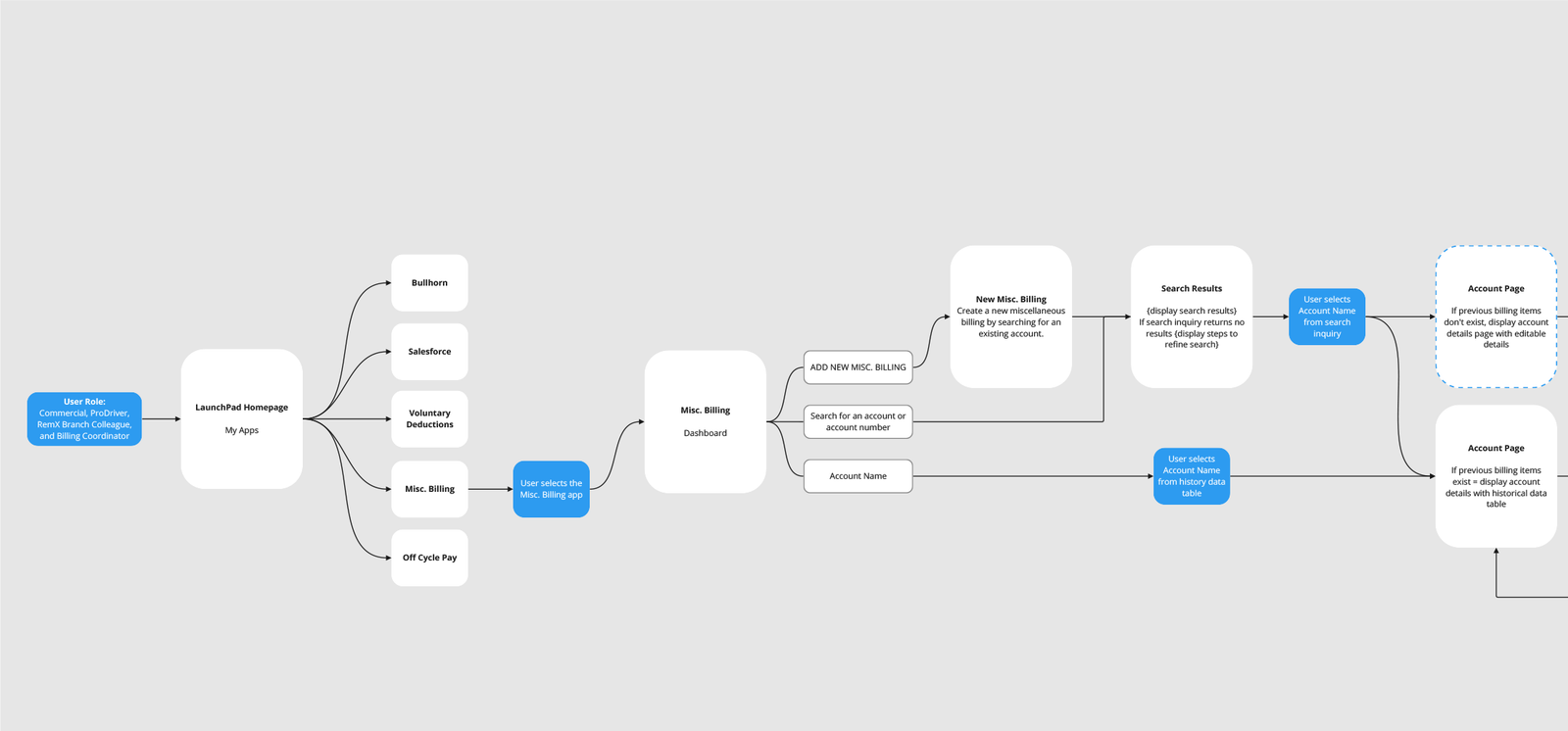
I began by mapping out the beginning of the user journey. Users are currently using an antiquated, inefficient process through Microsoft Dynamics CRM. Users would begin their journey at Launchpad, a custom built central hub where users can access many apps.
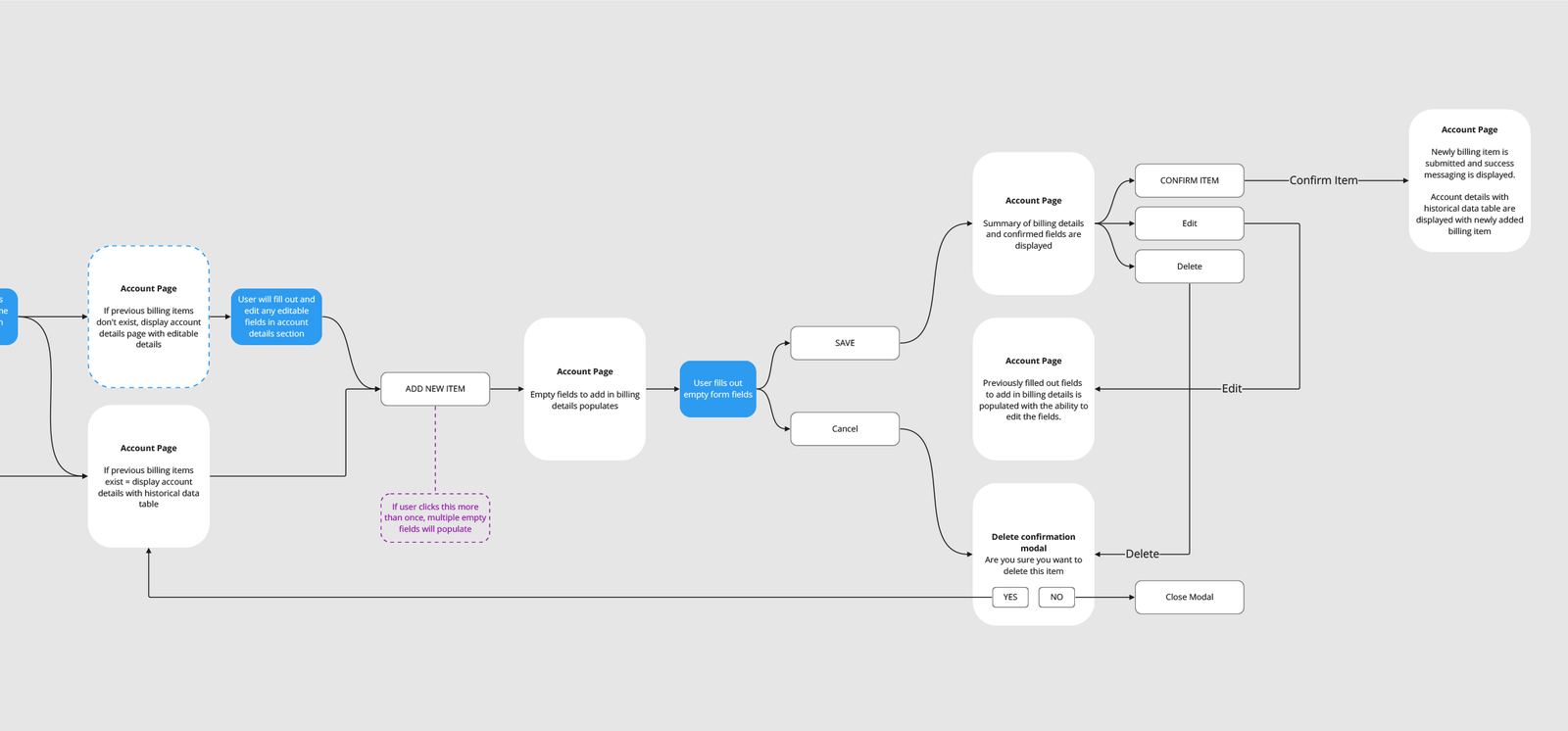
During our userflow mapping session, we considered every conceivable step and potential user actions, encompassing the addition of new miscellaneous billing items for new accounts and the incorporation of new billing items for existing accounts. Additionally, we charted the user flow for situations where adjustments are required before the submission of billing items.
Part Two
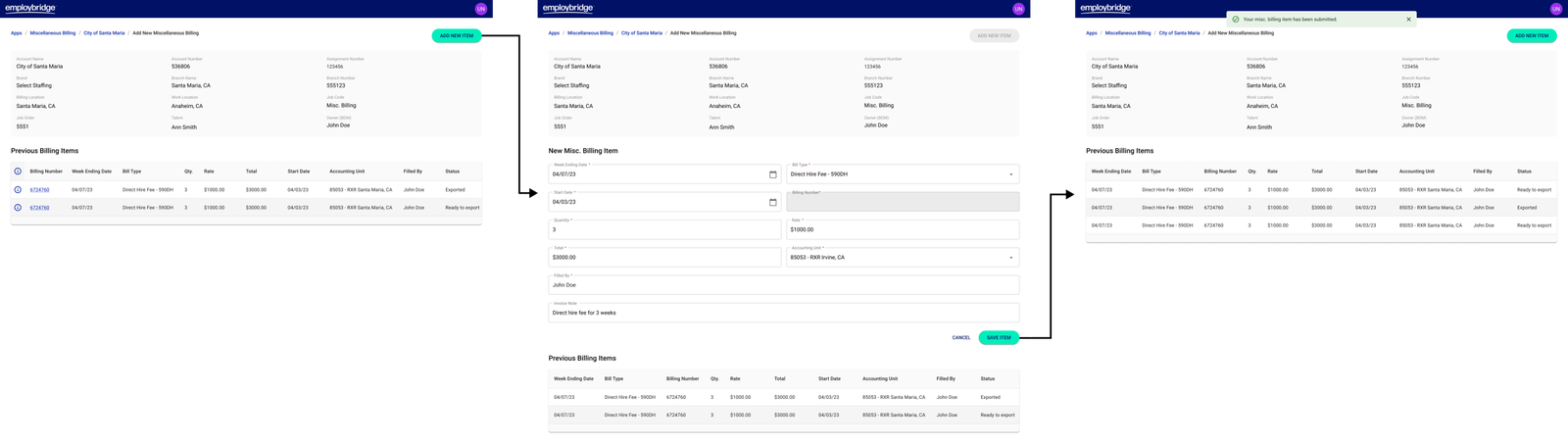
Add a New Misc. Billing to Existing Accounts
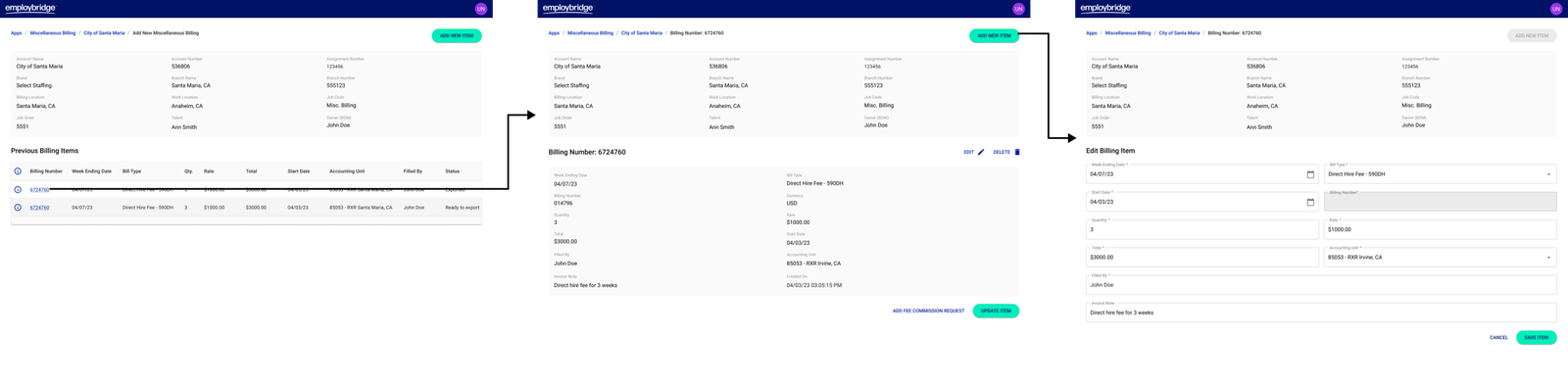
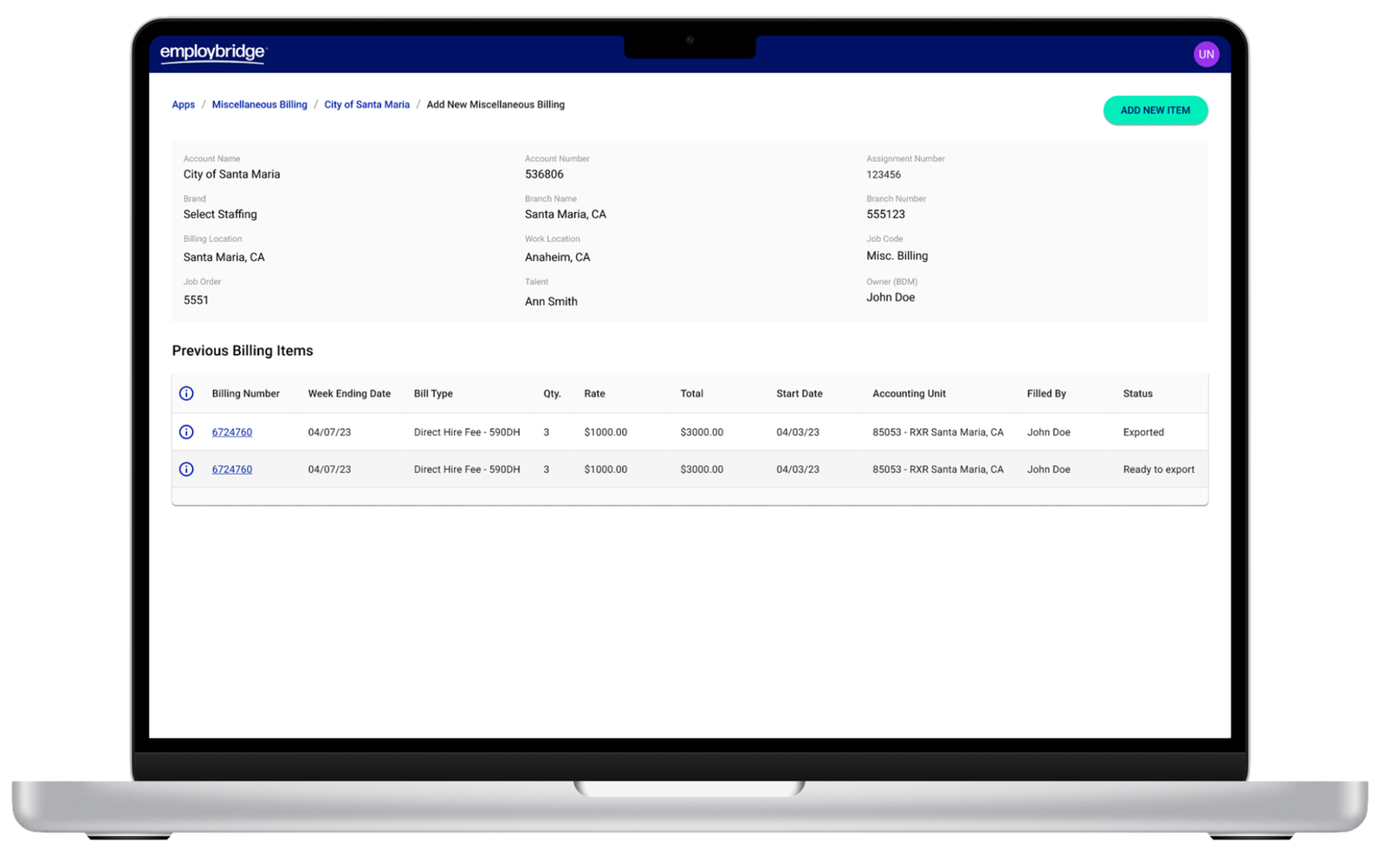
Users are able to add and submit new misc. billing items to existing accounts. In this example a user would select “Add New Item” and would be presented with a form to submit. The account level would also display previous billing items.
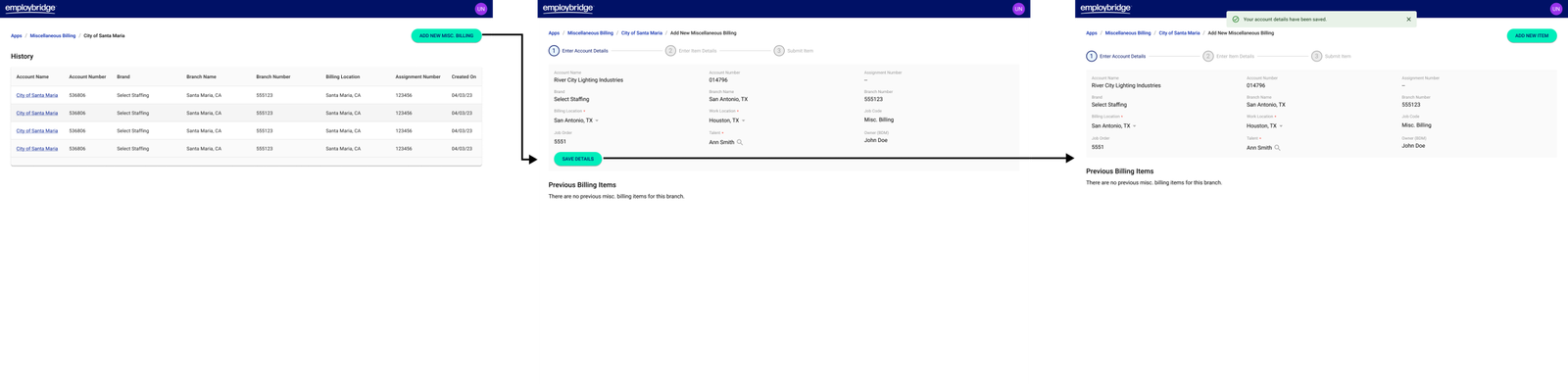
Add a New Misc. Billing to New Accounts
At the historical level users are able to add new misc. billing accounts or visit existing accounts. This example showcases the process on adding new misc. billing accounts without any existing billing items. Users would create and fill the account information first or “parent” information first and save the information.
Editing Misc. Billing Items
Users also have the ability to edit their billng items within a 24 hour period. In this example a user would select the biling number, make adjustments to their form and resubmit the billing item to be processed by the management team.
Part Three
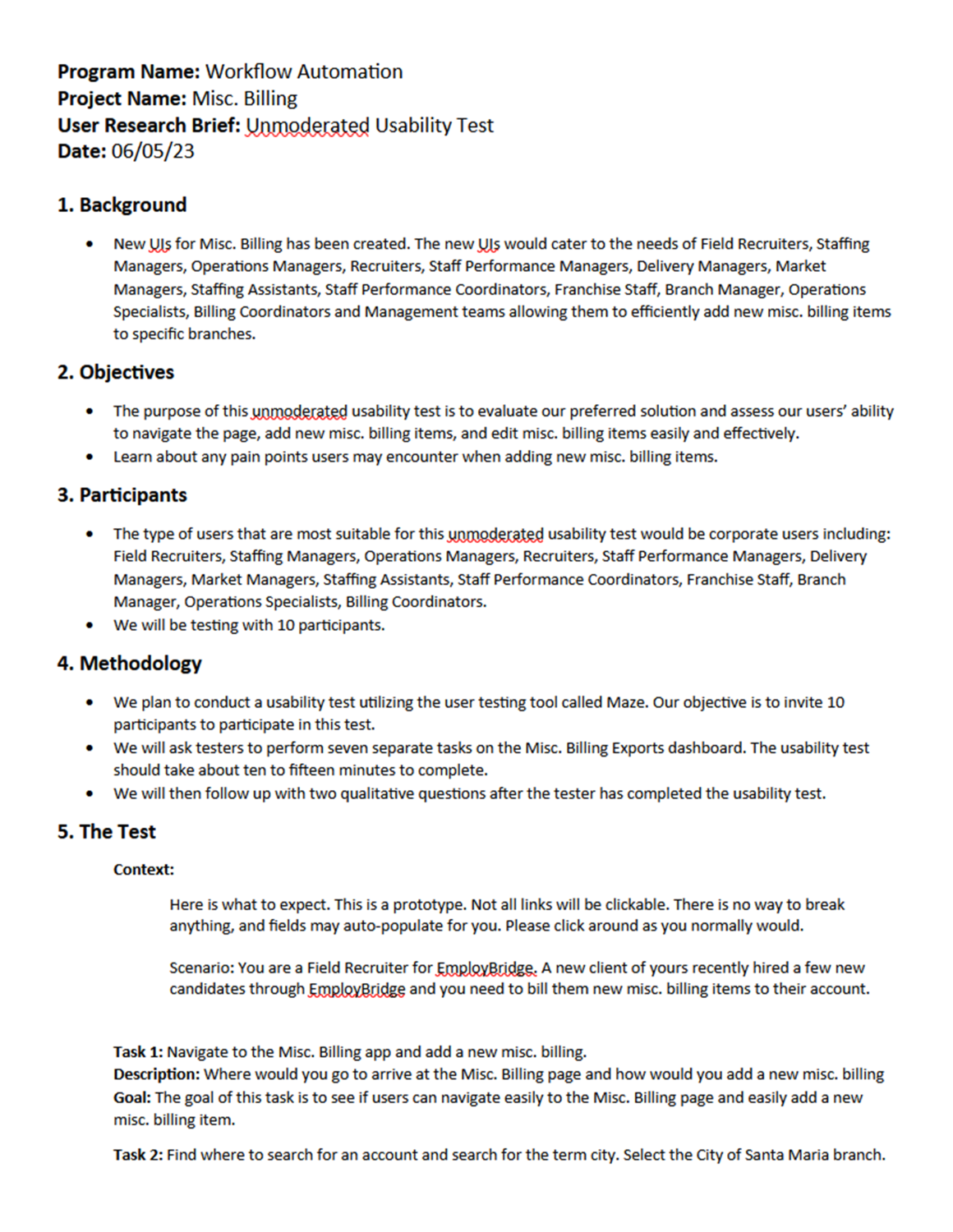
Unmoderated Usability Testing
New UIs for Misc. Billing that would allow field colleagues to add new misc. billing items to specific branches were designed. The goal of this research is to evaluate the design and identify pain points related to users’ ability to navigate the page, add new misc. billing items, and edit misc. billing items.
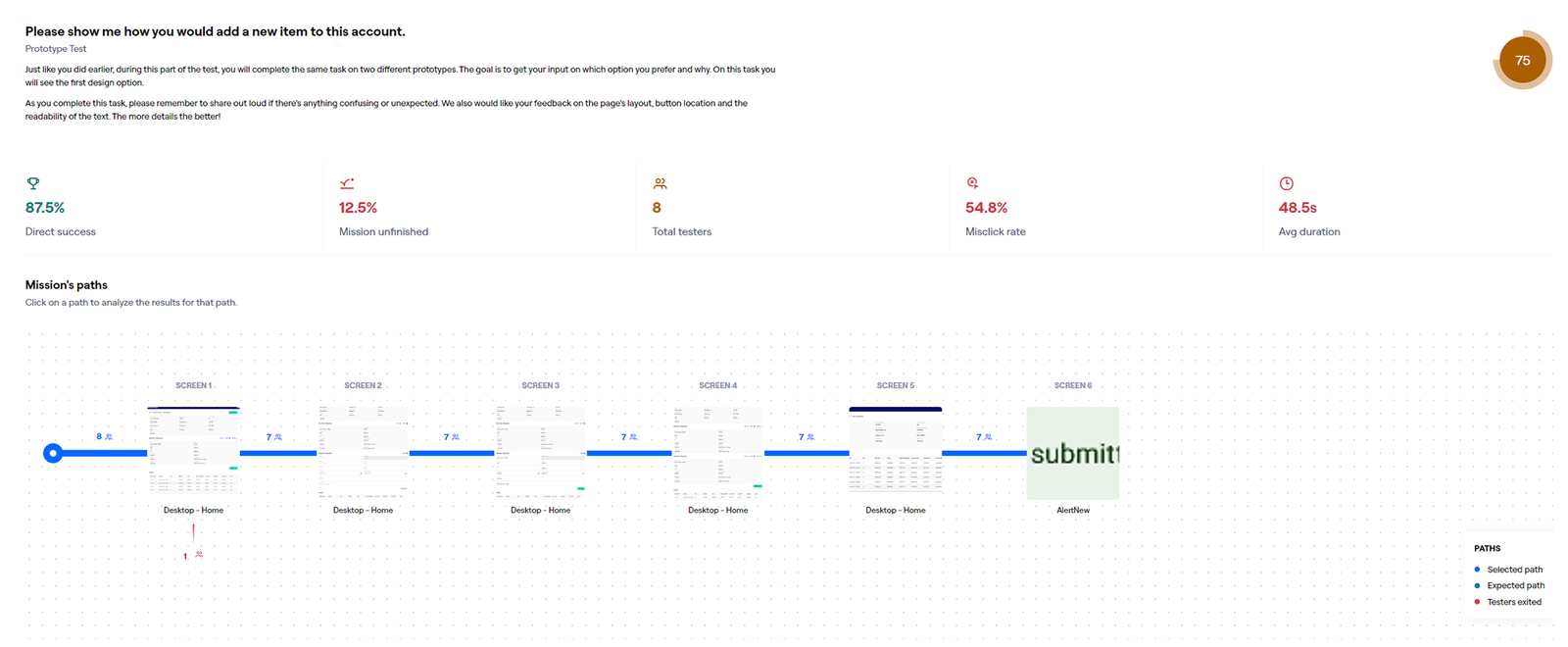
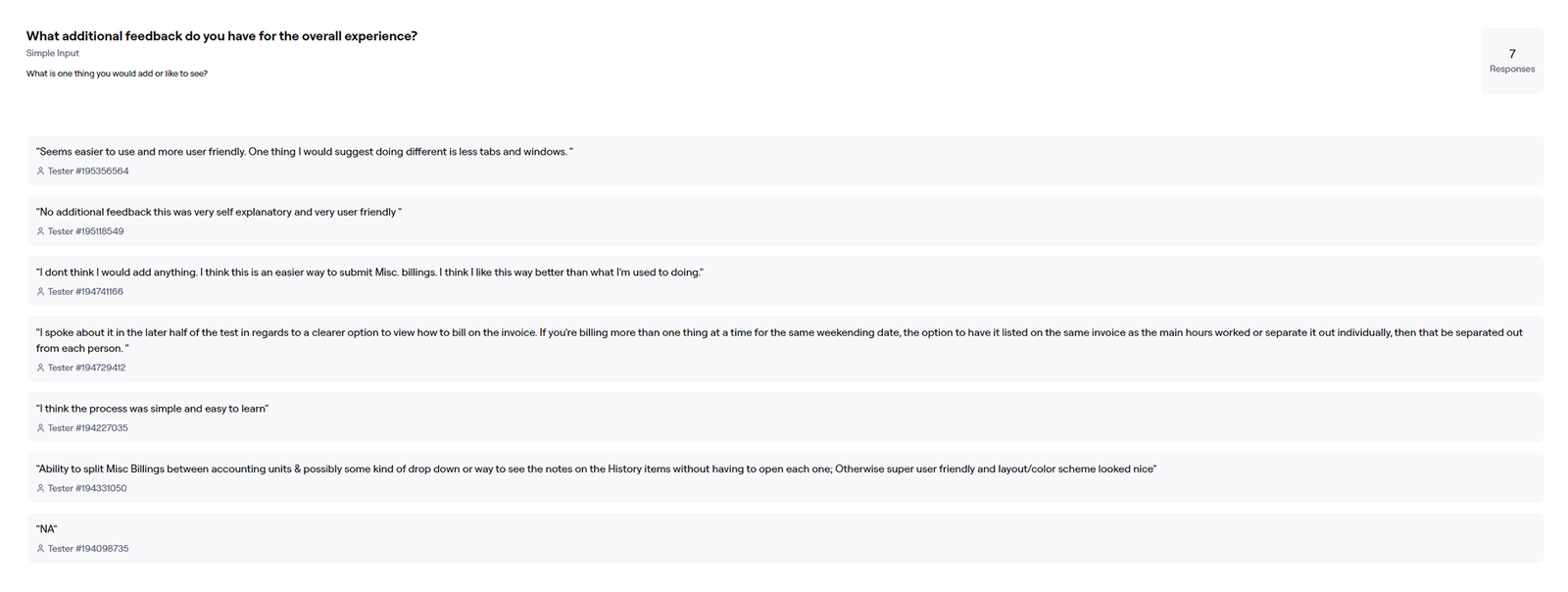
Test Results
Collaborating with the UX Research team, we strategically organized and conducted an unmoderated usability test using the Maze platform. A total of 10 participants took part in the test, and presented here is an example of our test results.